Start here
The first hour, without guessing.
Most of the first hour is loading screens and reading the HUD. This is the shortest route to a world that will not kill you.
The first hour of Miniblox is mostly not gameplay — it is loading, reading two bars, and working out that the lobby is the game’s menu. This page is the shortest path from clicking the tile to being in a world that will not kill you.
Step 1: expect a wait, and watch the stages
Joining runs through five named stages: Finding server, Connecting, Authenticating, Loading world and Shaders. The fourth stage counts the chunks it still needs (Loading chunks (6 left)), so it is the only honest progress bar in the sequence. Our first world took about 43 seconds between clicking and standing on grass. Esc cancels at any point, and the title says attempt 1, which implies retries are normal.
Step 2: read the two bars before you move
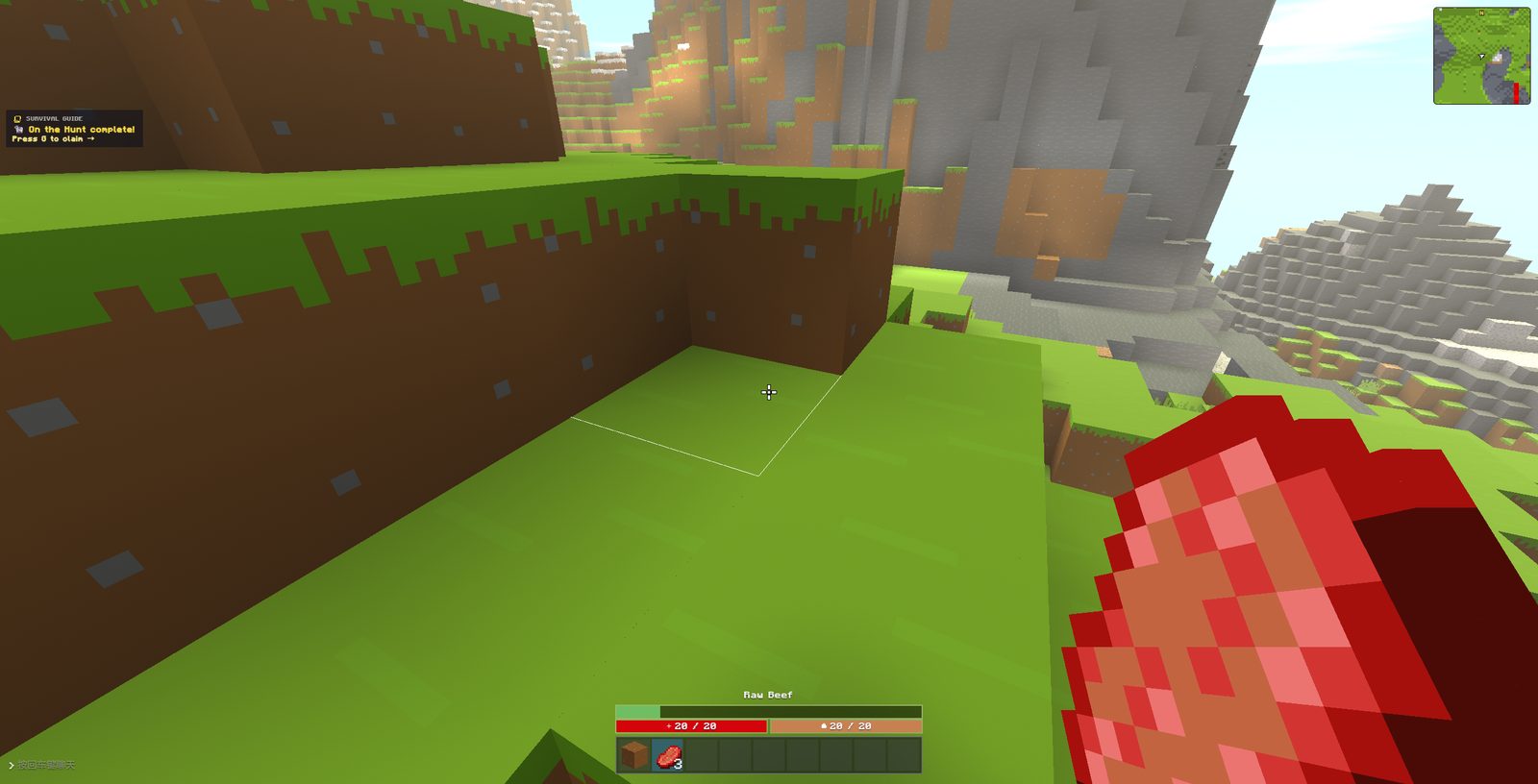
Both bars read 28 / 28. The red one is health and empties when you die. The amber one never moved in our session, so treat it as a mystery until you see it change — do not assume it is armour and do not assume it is food.
Step 3: start in Survival, not PvP
Survival is the only mode with a guided first hour. A SURVIVAL GUIDE panel in the top-left counts objectives as you do them (Break 4 logs 0/4), and achievements fire with a manual claim — On the Hunt — completed, Press G to claim. Nothing else in the client teaches you the controls; the official key list lives on the store page, not in the game.
Step 4: pick a mode by what it costs you in time
The modes are not equal in length. Our measured EggWars match ran 3.0 minutes and our Skywars match 1.3 minutes, both ending in a player's death rather than a timer. If you have ten minutes, one EggWars match is a safer bet than a sandbox world you will not want to leave.
The mode table lists all eighteen with match lengths where we have measured them, and the comparison page puts the two we finished side by side.
Step 5: know where the settings are
There is a gear icon at the top of the lobby's left rail, and the in-game pause menu has 选项 (options) as its first entry. Both matter: render distance is the setting that decides whether Shaders finishes in five seconds or fifty.